> ## Documentation Index
> Fetch the complete documentation index at: https://docs.niobi.co/llms.txt
> Use this file to discover all available pages before exploring further.
# Client ID Not Matched
## Overview
**403 - Forbidden**: This error occurs when the client ID provided does not match the specified entity integration. It usually results from incorrect credentials or missing fields in the request payload.
```json theme={null}
{
"success": false,
"message": "Client id not matched."
}
```
## Common Causes and How to Resolve
1. **Missing Client ID Field**:
This error could occur due to either missing the `client_id` field in the request payload.
**How To Resolve**: Ensure the `client_id` field is included in the payload for the specfic api endpoint. You can find the api request specifications under our [API reference page](/a\[pi-reference/introduction_v3]).
2. **Incorrect Client ID and Integration Name Pair**:
Providing a client id that is not related to the specified integration name (`sender` field) may cause this error. The api credentials for the integration need to be consistent in the request.
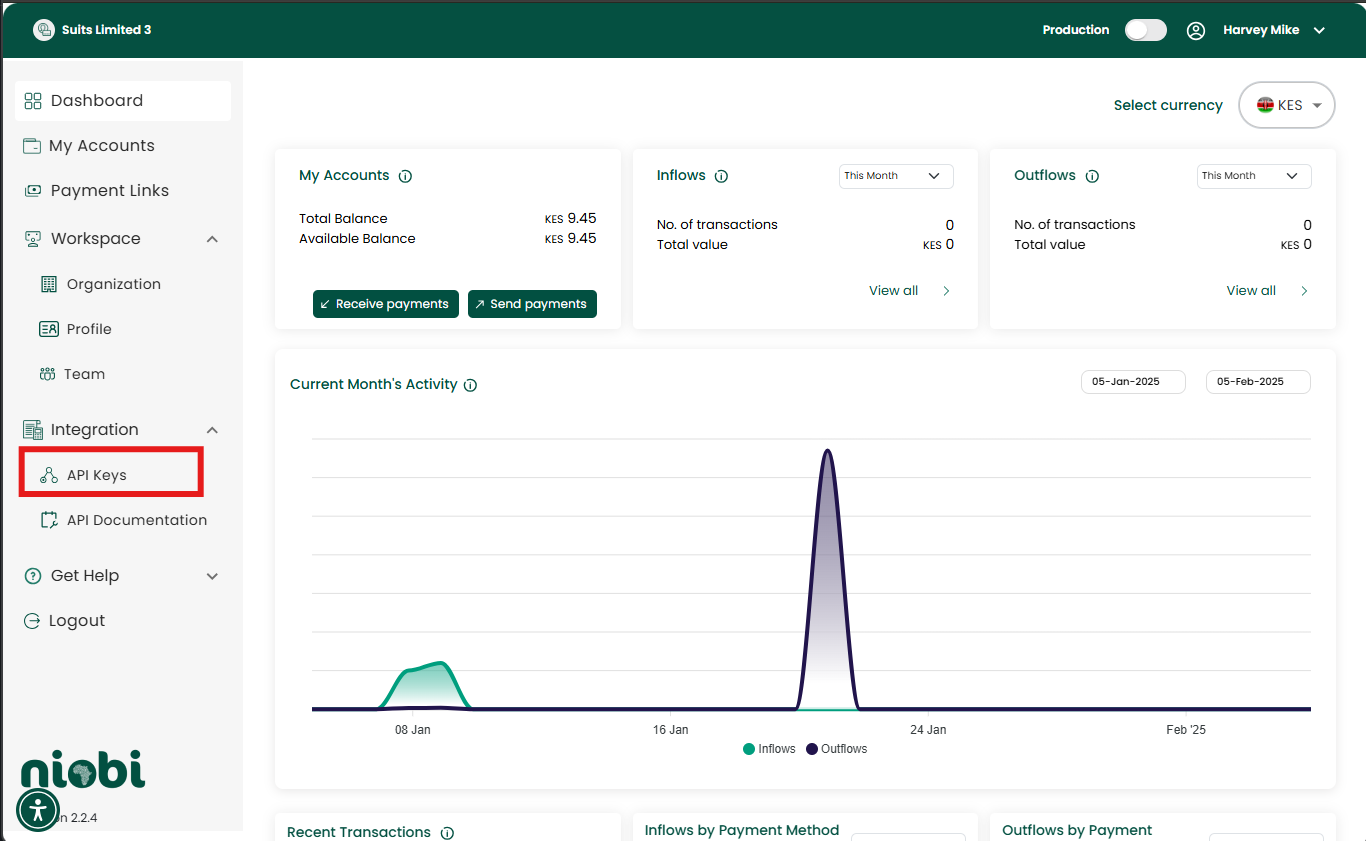
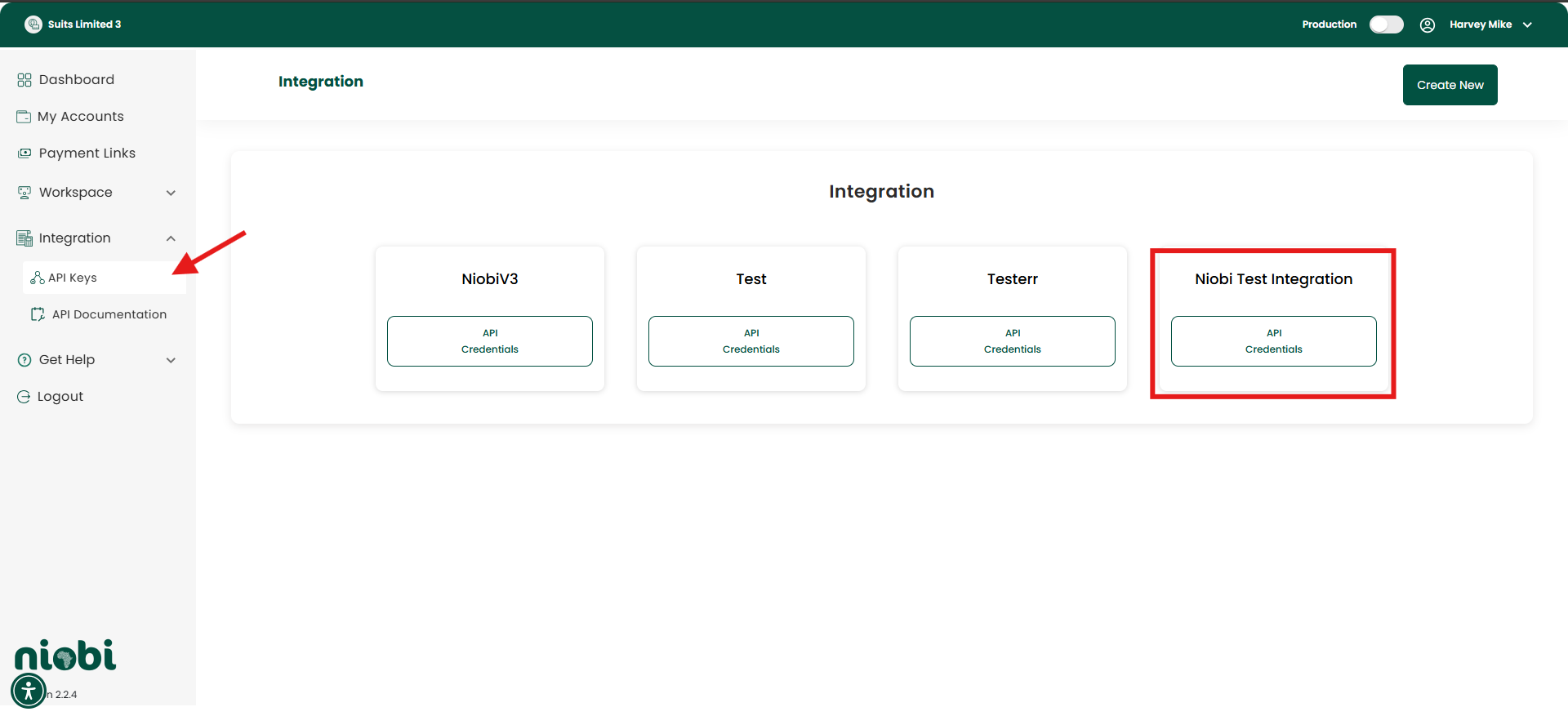
**How To Resolve**: Confirm the client id listed in the integration under the [Payment Portal](https://payments.niobi.co). You can navigate to the Integration > API Keys and select the integration. Ensure the provided client ID belongs to the integration specified in the payload.
 3. **Misspelled Client ID**:
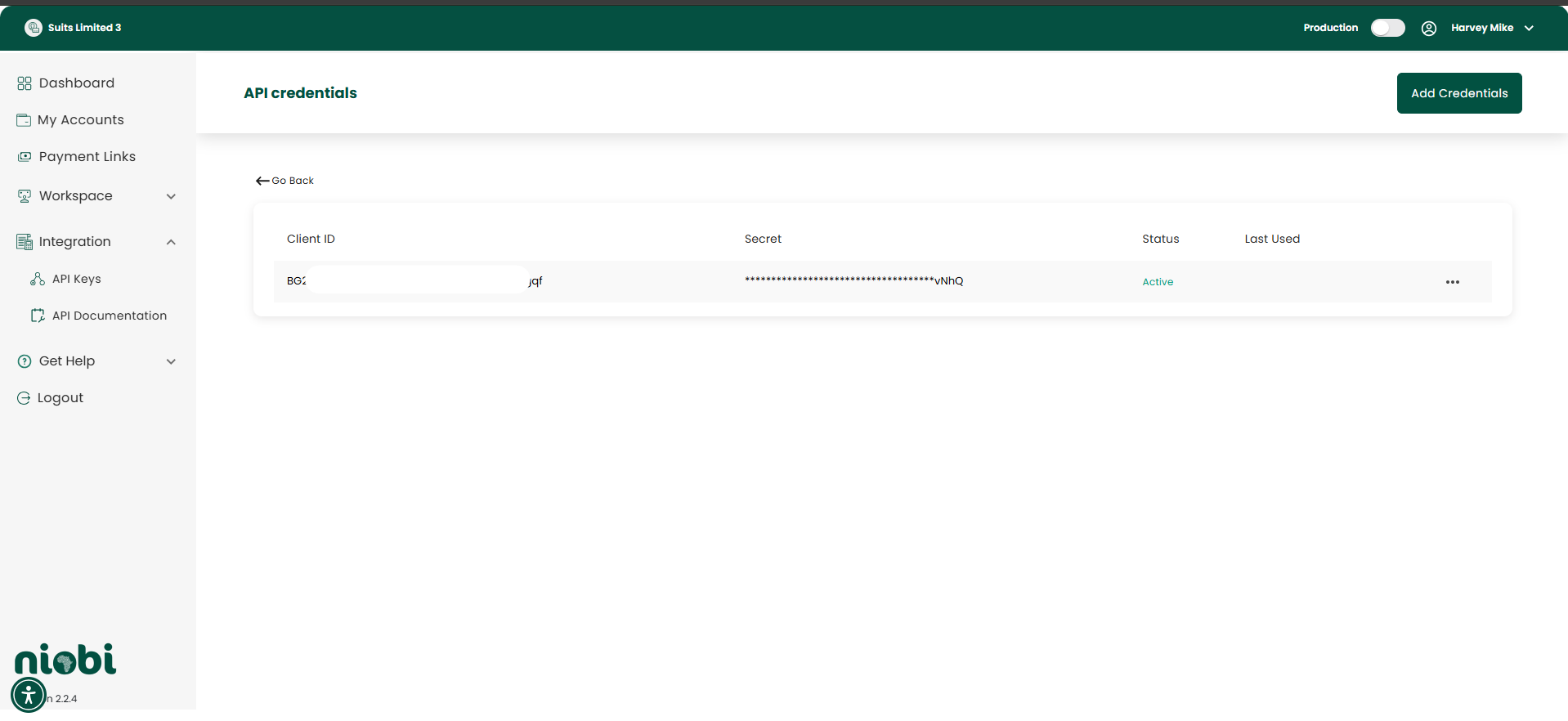
The error could also occur if the `client_id` field in the payload does not match the client id that was provided in the system. A misspelled client id can result in the client ID not being recognized.
**How To Resolve**: Confirm the client id for the specified integration from the [Payment Portal](https://payments.niobi.co) and ensure the last few characters match. You can access it under Integration > API Keys under the integration name.
***
## Best Practices
* **Validate All Required Fields**:
* Always include `client_id` and `sender` fields in the payload.
* **Double-Check Configuration**:
* Verify the client ID and integration name are correctly configured in the system.
* **Save Your Credentials Safely**:
* While generating api credentials, ensure you save your client id and secret key in a safe place so you can easily access it later to verify it as it is masked afterwards.
***
If the issue persists, please contact our team at [support@niobi.co](mailto:support@niobi.co).
***
## Additional Resources
* [Payment Portal](https://payments.niobi.co/login)
* [API Reference Page](/api-reference/introduction_v3)
3. **Misspelled Client ID**:
The error could also occur if the `client_id` field in the payload does not match the client id that was provided in the system. A misspelled client id can result in the client ID not being recognized.
**How To Resolve**: Confirm the client id for the specified integration from the [Payment Portal](https://payments.niobi.co) and ensure the last few characters match. You can access it under Integration > API Keys under the integration name.
***
## Best Practices
* **Validate All Required Fields**:
* Always include `client_id` and `sender` fields in the payload.
* **Double-Check Configuration**:
* Verify the client ID and integration name are correctly configured in the system.
* **Save Your Credentials Safely**:
* While generating api credentials, ensure you save your client id and secret key in a safe place so you can easily access it later to verify it as it is masked afterwards.
***
If the issue persists, please contact our team at [support@niobi.co](mailto:support@niobi.co).
***
## Additional Resources
* [Payment Portal](https://payments.niobi.co/login)
* [API Reference Page](/api-reference/introduction_v3)