

Configuring a Callback URL
You can configure a callback URL by including your specified URL as a parameter in the API request body. This setup allows you to receive real-time notifications for both payouts and pay-ins, ensuring seamless integration with your system.Callback for Payins
Through USSD Push
For collections using USSD push, you can configure your callback url as specificed below.1
Pass in the url you’d like to receive the callback response on under the params object as “callback_url”.
2
Generate a signature for the specified parameters using the generate signature endpoint
3
Make the API request using the payload generated.
4
Once the transaction is processed you will receive a callback response as shown below.
Through Payment Links
For payins collected via payment links, you can configure your callback url as part of the params field while creating a payment link. Once a payment will be made to your account using the payment link, you will receive a response on the callback.Callback for Payouts
For disbursements, you can configure your callback url as specified below.1
Pass in the url you’d like to receive the callback response on under the params object as “callback_url”.
2
Generate signature for the specified parameters using the generate signature endpoint
3
Make the API request using the payload generated.
4
Once the transaction is processed you will receive a callback response as shown below.
Response Structure
Below is a summary of the response structure of the callback responses expected.Payins
Payouts
Timeout Callbacks
For deposit transactions, a callback response is typically sent if a 2-minute timeout occurs on our end. Once the transaction is successful, a successful callback will be sent, and the transaction status will be updated accordingly.Resending Callbacks
You can resend callbacks in case of a delivery failure through the payment portal. To do this, access the specific transaction and click on “Resend Callback.”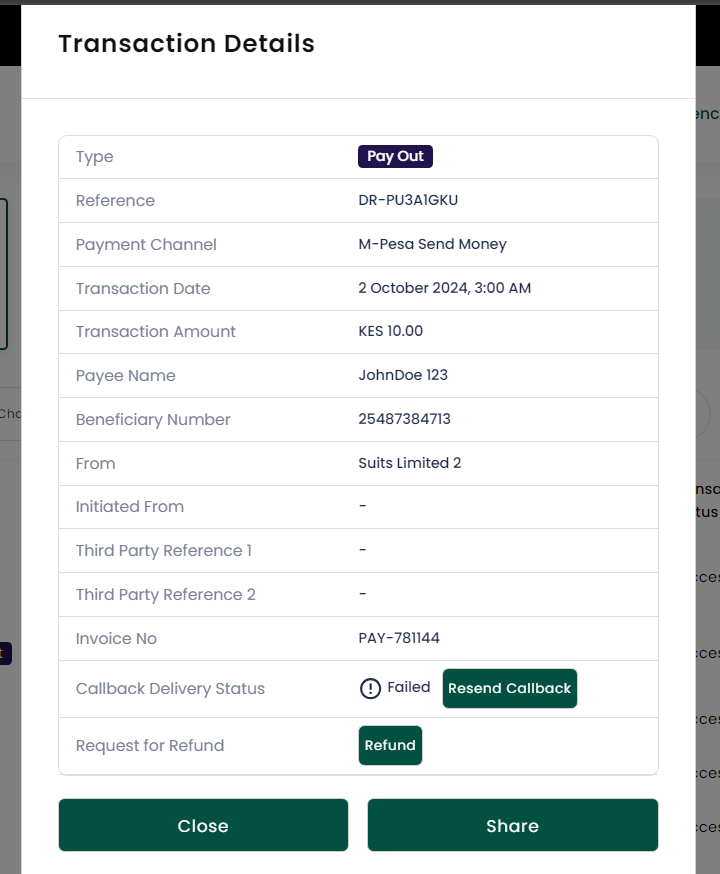
To learn more about transaction status codes, refer to the Status Codes section